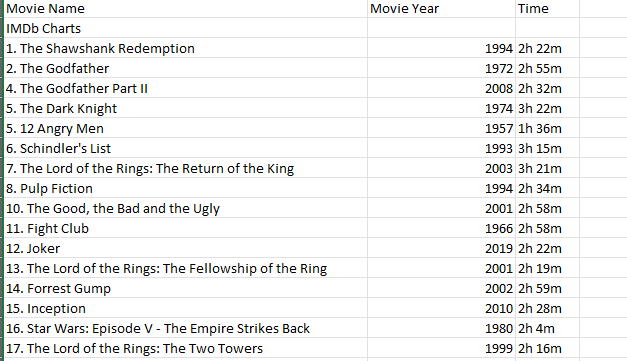
Data scraping, also known as web scraping, is a technique employed to extract valuable information from websites in an automated fashion. This process involves the systematic retrieval of data from various web pages, transforming unstructured information into a structured format suitable for analysis and application. Data scraping plays a pivotal role in numerous fields, facilitating tasks such as market research, competitor analysis, and data aggregation for business intelligence. It enables the extraction of diverse data types, including text, images, and tables, fostering a deeper understanding of trends and patterns on the internet. While it offers powerful insights, ethical considerations and adherence to legal norms are crucial in the practice of data scraping to ensure responsible and respectful data usage. As technology continues to evolve, data scraping remains an invaluable tool for researchers, businesses, and analysts seeking to harness the vast wealth of information available online.
Scraping Data using Outwit Hub
OutWit Hub is a versatile and user-friendly web scraping tool designed to empower users to harvest, organise, and extract data from the internet efficiently. This software provides a comprehensive platform for both novice and experienced users to navigate and collect information from websites without the need for extensive programming knowledge. OutWit Hub's intuitive interface allows users to create customised scraping workflows, automating the extraction of various data types, including text, images, and links.
Tutorial - Extracting IMDB top 100 movies
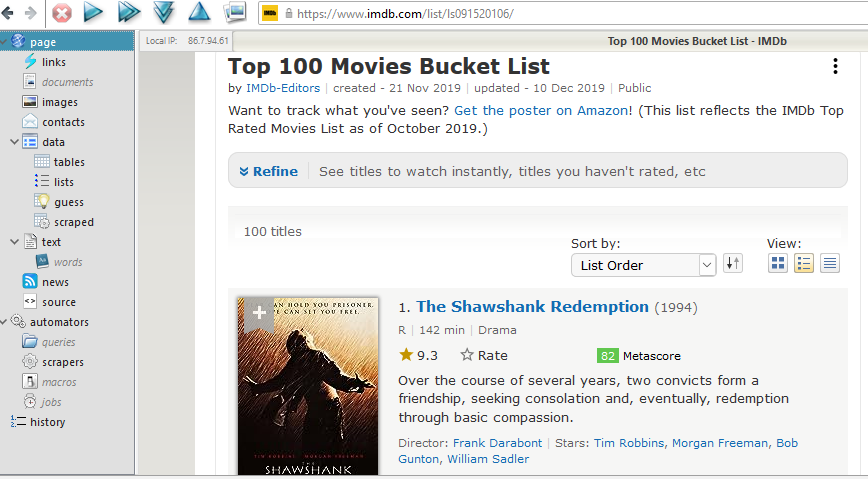
Open up the webpage: The first step is to open the webpage on OutWit Hub. The navigation panel on the left side of the screen allows you to select the ‘page’ option.
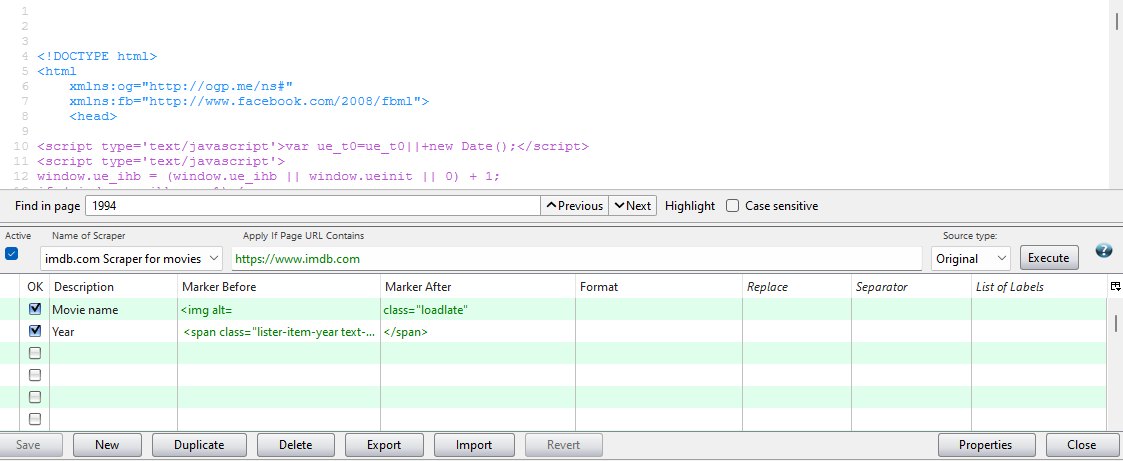
Create a scrapper: Once you have loaded the page, the next step is to create a scrapper. Go to the ‘scrapper’ option from the side panel and find out the markers before and after the data that you wanted to scrape on. You can give a description of that, too. Click on ‘Execute’ to run it.
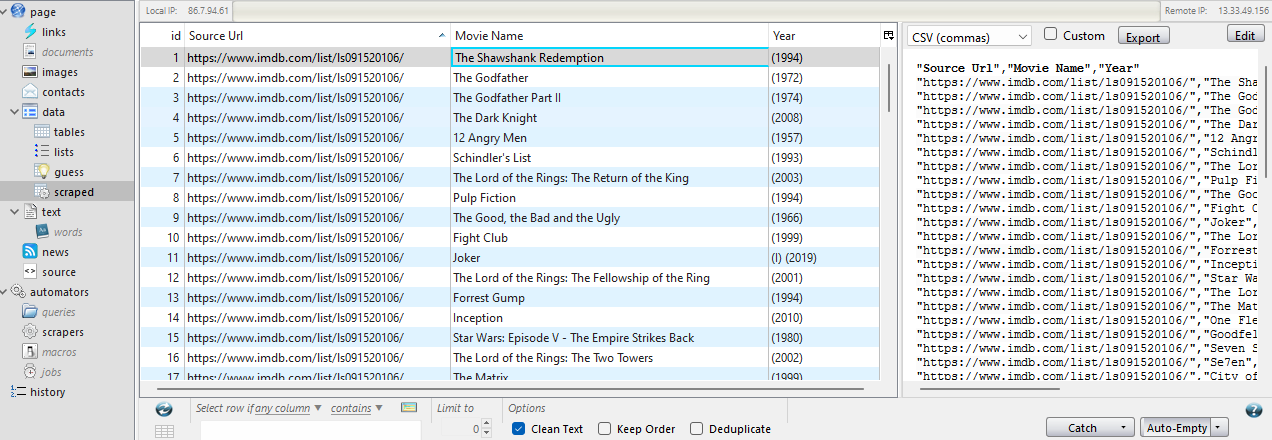
Export the scrapped data: After executing your scrapper, you can go to the ‘scrapped’ tab to export your data as an Excel sheet.
Refine your data: Remove unwanted data from your final sheet.